Announcement

Collapse
No announcement yet.

Official Photography Thread

Collapse
X
 
  • Filter
  • Time
  • Show
Clear All
new posts

  • Originally posted by DapperDan View Post
    Tower Bridge and The Monument through a sea of cranes

    Originally posted by Katy Lied View Post
    The light is lovely in this shot. If you remember, what time of day did you shoot this?
    Originally posted by DapperDan View Post
    Looks like it was just after 4pm in early Oct. We were racing through because they were closing the galleries.
    I thought it might be late afternoon. It's still overcast from the clouds directly overhead, but the lowered sun on the horizon allows sunlight to slip in below the clouds over your right shoulder to wash your foreground in bright sunlight (all the way to about where the cranes are). With the foreground awash in sunlight from behind your shoulder, the medium ground overcast, and the distant background in direct sun from above the clouds, this photo alternates shadow and light in a way that increases the picture depth and makes it more interesting.

    Comment


    • Originally posted by tooblue View Post
      From our nature walk this morning the official flower of Ontario, the wild Trillium, was in bloom all over the place:
      Fabulous camera. What is it? If you can remember your settings, what were the settings for the first photo?

      (If you still have the photo in your camera, your camera should give you the settings. If you downloaded it to Photoshop Elements or a similar photo software, your software should give you this info. )

      Comment


      • Raccoons

        The last time my wife and I were in Seattle we were waiting to get on our Southwest flight back to Oakland and they announced that they needed a few volunteers to get bumped from the flight. Since we didn't have to be back for a couple of days we jumped up and volunteered, getting a couple of hundred bucks each, plus the cost of the tickets, plus they paid for our motel overnight. This more than paid for renting a car and another day of sightseeing.

        On the north end of Tacoma is Point Defiance Park and somewhere along 5 Mile Rd we met these little guys. We wouldn't have even noticed them if the car in front of us didn't slow way down to have a look. I guess they liked watching traffic go by or something.

        Comment


        • Originally posted by Katy Lied View Post
          You should post a photo with yellow tint. Is the photo indoors with flash or without flash? Have you returned all your settings to default on the camera?

          Lesa Snider has some great Photoshop Elements lessons that are easy to understand and are practical for the home photographer; she comes from the Scott Kelby stable of photo manipulation teachers. Her tutorials are taught on Elements 8 I believe, and I think the latest is 9. I'm one of those people who thinks that Adobe Software gets more intrusive and bloated with unnecessary memory suckage with every edition so if you like your older version and it works for you, I would stick with the older version.
          http://graphicreporter.com/tutorials...tutorials.html
          Thanks, I'll check out the tutorials.

          Here's one of the photos in question. The table seems yellower, but the skin tones are pinker than normal. I ran 'adjust color for skin tone' in PE4, and it helped, but haven't had to do that in the past. (The linked pic is the original, just reduced in size.) Lighting is natural from the windows and incandescent overhead along with the camera's own popup flash and auto white balance. Maybe I just need to spend more time with the camera so that I'm quicker at setting everything up and won't be tempted to just shoot in auto mode. Thanks for any suggestions. (And, yes, that's a birthday pie, not a birthday cake. That's what he wanted.)

          Comment


          • Originally posted by mtnbiker View Post
            Thanks, I'll check out the tutorials.

            Here's one of the photos in question. The table seems yellower, but the skin tones are pinker than normal. I ran 'adjust color for skin tone' in PE4, and it helped, but haven't had to do that in the past. (The linked pic is the original, just reduced in size.) Lighting is natural from the windows and incandescent overhead along with the camera's own popup flash and auto white balance. Maybe I just need to spend more time with the camera so that I'm quicker at setting everything up and won't be tempted to just shoot in auto mode. Thanks for any suggestions. (And, yes, that's a birthday pie, not a birthday cake. That's what he wanted.)

            Have you tried gelling your flash? That may fix it. (the incandescent light problem, though I note that you have combo light in this photo--incandescent and natural). The combo light makes the girl's skintones look more natural, because she is still getting natural light from the window, while the birthday boy is much pinker because he is right under the incandescent light. In that case I'd use a tripod, use just the natural light, turn off the kitchen lights, and lenghthen my exposure time.
            I have a cheap set of flash gels. Let me dig up the link for you.

            Edit: Here are some cheap sources for gels:
            www.photogels.com (cheapest source, get their Color Correction Pack)
            www.stickyfilters.com (more expensive but really cool: you stick the gel on your flash, and remove it when you're done to reuse again another day.)

            Here are two sample photos from the stickyfilters web page. One is gelled, the other is plain flash. Also see that the flesh tones in the yellow photo are much pinker. See if the version with a lot of yellow is like your photos:

            No Filter ____________________________________Gel Filter
            Last edited by Katy Lied; 05-01-2010, 11:42 PM.

            Comment


            • Originally posted by Katy Lied View Post
              Fabulous camera. What is it? If you can remember your settings, what were the settings for the first photo?

              (If you still have the photo in your camera, your camera should give you the settings. If you downloaded it to Photoshop Elements or a similar photo software, your software should give you this info. )
              It's just a Cannon EOS Rebel xti with the standard lens and a UV filter. I shot at:

              f/6.3
              1/4000s
              ISO 800

              I'm a dumb luck style photog -- I rarely look at what I'm shooting through the lens. I'll set the camera down at a random angle that feels right or on my hip and let the auto focus select the subject.
              Last edited by tooblue; 05-01-2010, 06:29 PM.

              Comment


              • Originally posted by tooblue View Post
                It's just a Cannon EOS Rebel xti with the standard lens and a UV filter. I shot at:

                f/6.3
                1/4000s
                ISO 800

                I'm a dumb luck style photog -- I rarely look at what I'm shooting through the lens. I'll set the camera down at a random angle that feels right or on my hip and let the auto focus select the subject.
                Toronto downtown last night:

                Last edited by tooblue; 05-01-2010, 06:29 PM.

                Comment


                • 5 Tips for Shooting Flowers

                  1. Flowers like overcast skies. This tip comes from Scott Kelby. They look much better under drizzly rain conditions. So much so that when I want to take some photos and the day is gray and crappy, I start looking for flowers to photograph.

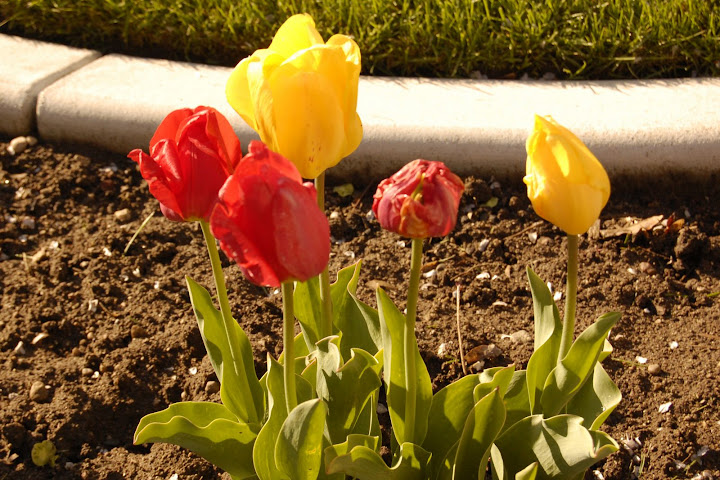
                  Here are some tulips in sunlight. This is early morning sun, which normally provides for good lighting conditions. The sun just overpowers the delicate features of the flowers.


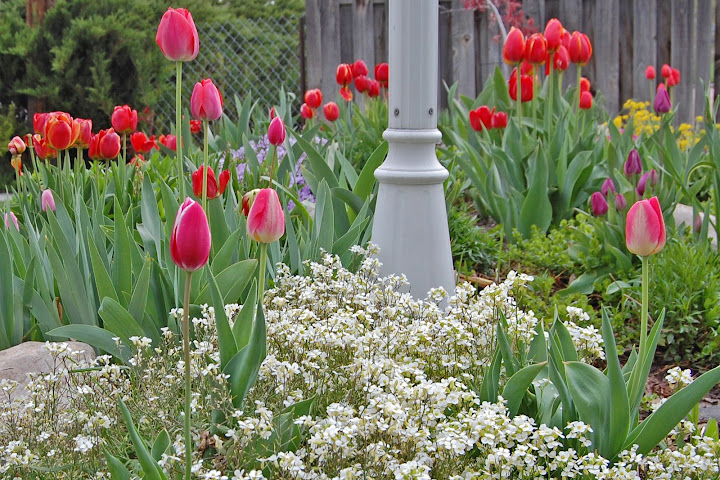
                  Here are flowers under overcast skies. No shortage of vivid colors even though the day is dark.


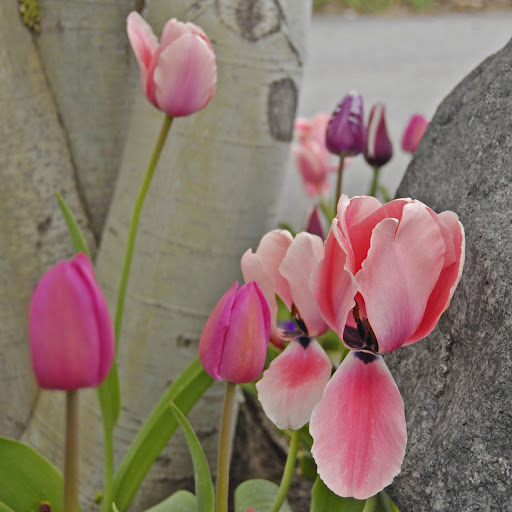
                  2. Look for a plain background. If the flowers are next to a plain tree or rock, try to get the tree/rock in the background. Here, I need to put the flowers in front of the tree, or the rock, but not both (and certainly not the crevice between the two):


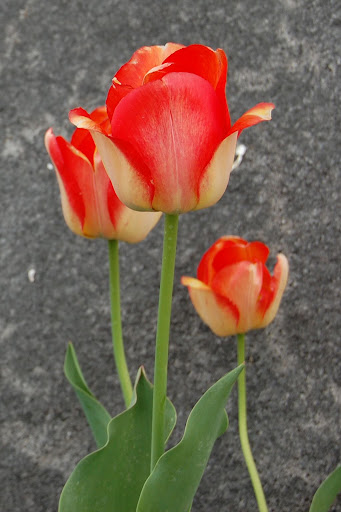
                  Here I've isolated some flowers in front of a granite rock.


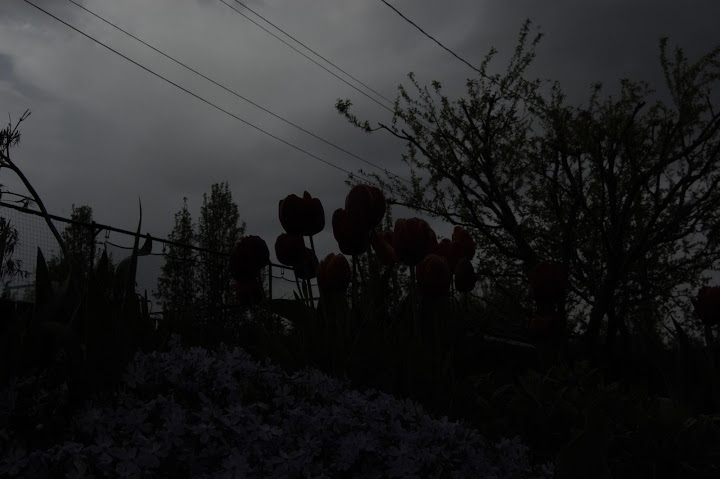
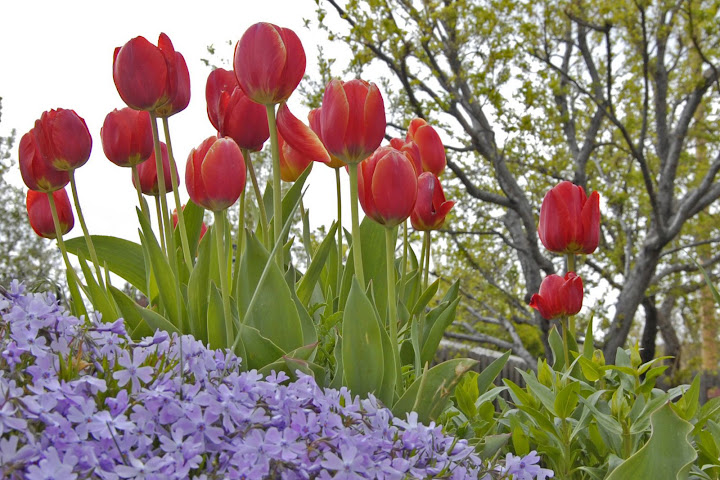
                  3a. Don't be afraid of manual, and 3b. Use manual exposure settings to get rid of background elements. This photo was taken in program mode, and you can see that the camera analyzed the light settings all wrong, resulting in this seriously dark photo. I also wanted to get rid of the power lines and the tennis court netting in the background.


                  The camera exposed the above photo at f/19 using its internal algorithms based on the light thrown out from the bright sky. Using manual, I opened the camera wide open to f/4, and focused the depth of field on the tulips. The background blurred out because it is beyond the very narrow depth of field, which took out all the power lines and most of the tennis netting. Of course, I can erase the power lines in post production, but who wants to spend all that time fixing your pictures if you can take them the way you want in the first place.


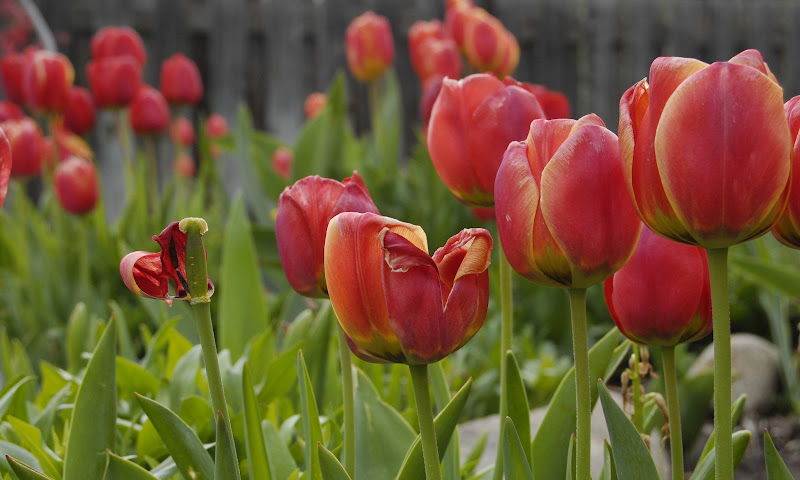
                  4. Imperfect flowers are interesting. Here, a prominent part of the foreground features tulips that are past their prime, and whose petals have blown away. I think this makes the picture more interesting.


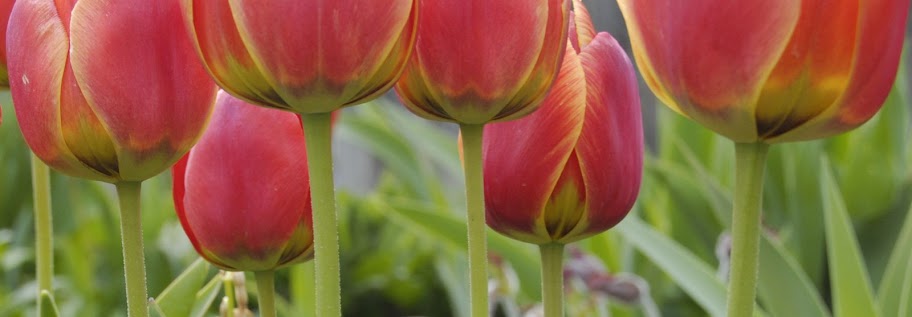
                  A corollary of this rule is also from Scott Kelby: try to find an interesting angle. Most flower photos are either in profile, or top down on the crown of the flower. Finding or cropping for an interesting angle makes the photo more unusual.


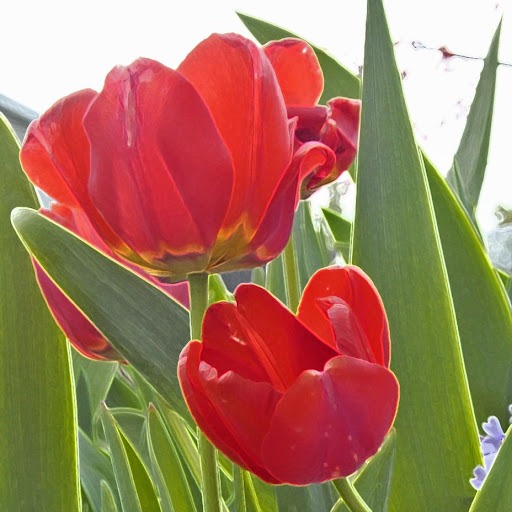
                  5. Digital Filters can salvage a ruined photo. In this picture, the background is really blown out, but I liked it so much I didn't want to toss it. So I manipulated it in PhotoElements. Not so much that the image has been rock-n-rolled, just a little so it can find new life as a graphic image. Here I accented the edges, and I darkened highlights 25%.
                  Last edited by Katy Lied; 05-05-2010, 08:39 PM.

                  Comment


                  • Thanks for the tutorial on shooting flower photos. I'm going to have to have another go at trying to capture my bougainvillia and maybe even some California poppies. I've found it especially difficult to capture the feeling of the poppies, since I think their orange color might be slightly outside of the range of color that can be represented by most cameras. I keep trying, though.

                    Comment


                    • Street Rod Show

                      Every August the Good Guys West Coast Nationals streetrod show is held in Pleasanton at the Alameda County Fairgrounds. It used to be that the cars had to be at least 40 years old up until 1994, then they limited them to 1954 or older. A few years ago they adjusted the age to include cars as new as 1957, although even the 55-57 cars can seem a bit too modern.

                      I usually take a few hundred photos when I attend of all the cars that I like, some of the owners, and the overall scene. I especially like to capture interesting flame paint jobs or good vanity plates.

                      This photo is of the row reserved for "Deuce" roadsters and coupes - Fords from 1932. Most of them are really just kit cars and not made from original parts. It's pretty hard to take a photo of a group like this without people in the shot. I thought that this sort of captured the feeling of the event.

                      Comment


                      • Here are some flower shots from my archive. I tend to shoot a bit too wide. Most of these images would be a bit better with a little more DOF, but here they are:


                        Last edited by RobinFinderson; 05-02-2010, 08:20 AM.

                        Comment


                        • Robin: what I like about your photos is that you are as meticulous with your backgrounds as you are with your foregrounds.

                          Comment


                          • Originally posted by Katy Lied View Post
                            Robin: what I like about your photos is that you are as meticulous with your backgrounds as you are with your foregrounds.
                            Thanks Katy. I try to pay attention to the backgrounds in the field, but I also benefit from shooting a LOT of photos, which gives me a lot of choice when it comes to the digital darkroom. Each of these photos represents the best choice from five or more shots of the same subject. Also, most of the images were taken on overcast days, confirming your rule of thumb about shooting flowers. Droplets, however, were provided by God (no spritz bottle for me).

                            Comment


                            • With us being in a flower theme for a bit here are some shots taken at the Portland temple a while back. We get no shortage of overcast days here.


                              Get confident, stupid
                              -landpoke

                              Comment


                              • Originally posted by Katy Lied View Post
                                Have you tried gelling your flash?
                                KL, thanks for all the suggestions with gels and the PE links. I'll give them a try. Do you really get as consistently dramatic a color difference with the gels as they show on their web page? Or is that partially marketing hype with a few specially prepared photos?

                                Comment

                                Working...
                                X